
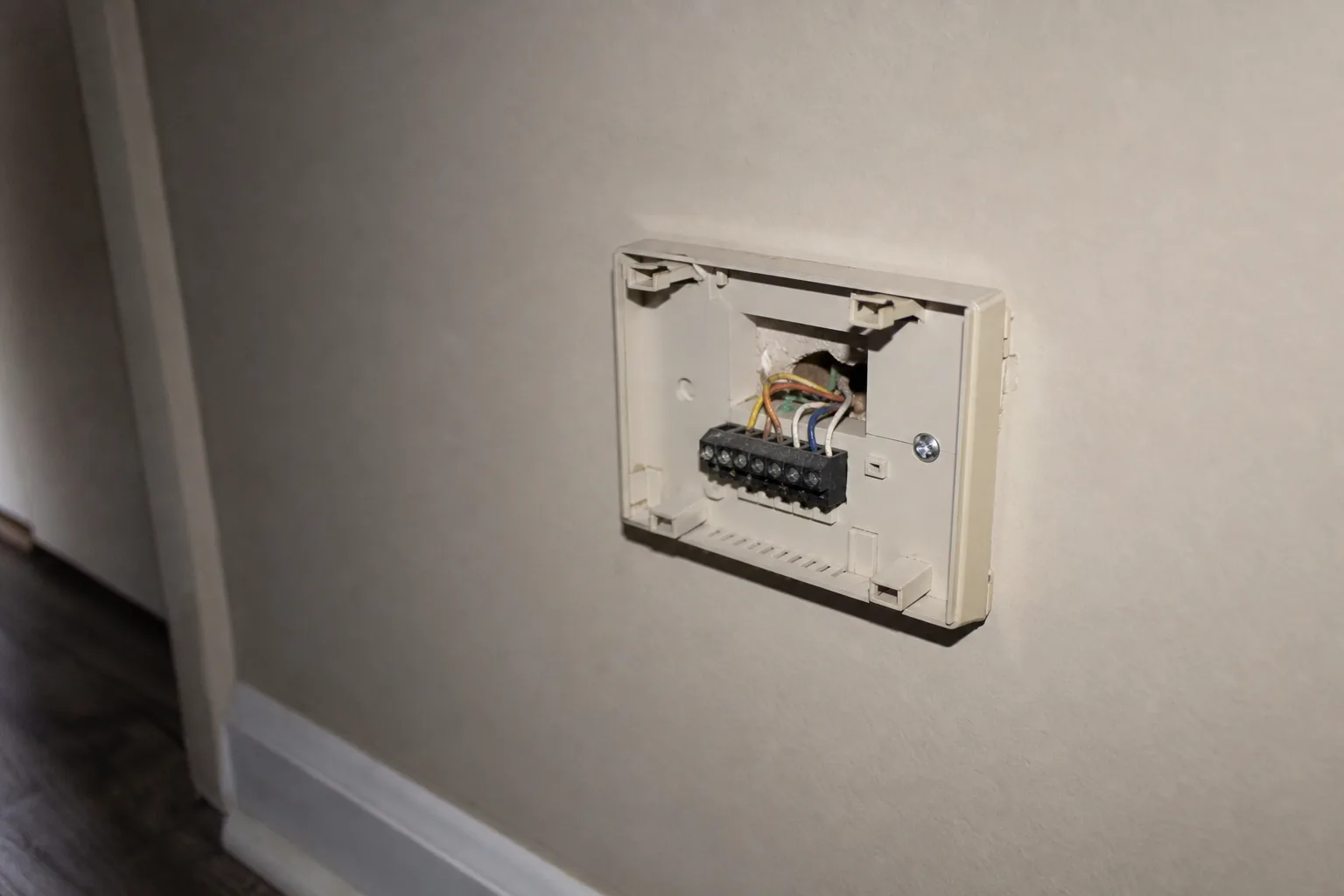
The Robertsdale Wi-Fi Thermostat That Bricked After a Storm
A Wi-Fi thermostat stuck on 'Loading' for days after a Robertsdale storm is usually firmware corruption, not hardware failure. What's happening and the cheaper fix.
Published 2026-09-17 · Updated 2026-09-17
Author: Landon Jahnke | ACExperts251
Reviewed by: Landon Jahnke · Owner · Alabama HVAC License AL #16117 · EPA 608 Certified
A neighbor's Wi-Fi thermostat dies after a storm. Power was out a few hours, came back fine, and now the thermostat shows "Loading…" forever and the AC won't run. After a few days of frustration they give up, drive to the home center, buy a basic programmable for around twenty bucks, wire it in, and the AC kicks on.
From the homeowner's perspective, the smart thermostat failed and a dumb thermostat fixed it. That's a reasonable conclusion from a reasonable person. It's also not quite the right diagnosis. The thermostat didn't break in the way you'd think. The firmware bricked. And there's a recovery path that often gets the original thermostat working again without buying a new one.
What's actually happening to the device
Wi-Fi thermostats — Ecobee, Honeywell T-series, Nest, and the rest — do firmware updates over the air on a regular schedule. The process pulls a new firmware image from the manufacturer's servers, writes it to the device's flash memory, verifies the write, and reboots into the new firmware. The whole sequence runs in the background in a couple of minutes.
If a power interruption hits during the verification or reboot phase, the device can end up in a state where the old firmware is partially overwritten and the new firmware isn't completely written. On the next boot it can't load either image cleanly and falls into a recovery loop — the indefinite "Loading…" screen.
That's the failure mode behind the "it died after the storm" pattern. Three things make it likely whenever a storm-bricked thermostat shows up:
The works-fine-then-fails-suddenly pattern. Smart thermostats receive firmware updates every few weeks. After six months in service a device has been through several update cycles, and this failure mode traces to a single bad event — not gradual hardware degradation.
The "AC won't run anymore" detail. A thermostat with healthy hardware but corrupted firmware can't drive the 24V relay outputs correctly. The equipment doesn't run because the thermostat can't tell it to run, even though the wiring and the AC itself are fine.
The stuck "Loading…" screen. A device showing the same status screen for days isn't waiting for Wi-Fi reconnection — Wi-Fi recovery is a half-minute process. It's stuck in a firmware boot loop trying and failing to load a corrupted image.
The basic non-Wi-Fi thermostat from the home center fixes the problem because basic thermostats don't have firmware that can corrupt. They're mechanical or simple-microcontroller devices that close a 24V relay when temperature drops below setpoint. The "smart bad, dumb good" diagnosis produces the right outcome through the wrong reasoning.
The recovery procedure that often gets the original working
Most Wi-Fi thermostats have a manual firmware recovery procedure that takes five to fifteen minutes and restores the device without replacement. The procedure varies by manufacturer:
Ecobee typically uses a long-press on the menu button during boot to enter recovery mode, then a re-flash of the firmware through the Ecobee app over the device's local Wi-Fi.
Honeywell T-series typically uses a reset-button hold during reapplication of power, followed by navigating the firmware-recovery menu through the touch interface.
Nest typically uses a long-press on the display ring to force a hard reset, then a re-pair through the Nest app. A subset of bricked Nests still end up needing RMA through Google support, but a meaningful share recover.
Recovery success rates aren't 100%, and the exact button sequences shift as manufacturers update their hardware — so always verify against the current documentation for your specific model. The point is that the recovery path exists, the manufacturer's standard support phone tree doesn't usually lead with it, and the path of least resistance is to drive to the home center and replace. That's a reasonable consumer response. It's just not the cheapest fix.
Why Robertsdale is more vulnerable than the Eastern Shore cities
A few reasons the storm-bricks-thermostat pattern shows up more often around Robertsdale than around Daphne or Fairhope:
Power-grid profile. The central Baldwin County corridor sees outages that tend to ride longer than in the Eastern Shore cities, and the restoration profile can include multiple flickers as the grid stabilizes. The more variable the power event, the higher the odds a thermostat is in mid-update when something interrupts it.
Older home wiring. A lot of the Robertsdale housing stock predates the era when whole-home surge protection became common practice. The 24V control circuit from the air handler transformer to the thermostat runs through wall cavities without any voltage clamping, so spikes that would be absorbed by a modern panel-mounted surge protector pass straight through.
Higher rate of DIY thermostat installs. A self-reliant working-class culture means a higher share of thermostat installs are DIY rather than professional. DIY installs sometimes skip the C-wire connection that smart thermostats need for stable power, leaving the device drawing trickle power from the R wire — which makes it more vulnerable during a power event because its internal capacitor is barely keeping up under normal conditions, much less during a firmware update.
The Robertsdale surge-protector math after a named storm walks through the post-storm electrical inspection in detail, and the ant-killed-a-Robertsdale-contactor analysis covers a different but related electrical-vulnerability pattern on the same housing stock.
What the right sequence looks like
When a Wi-Fi thermostat goes into the "Loading…" loop after a storm, the order of operations that gives you the best chance of the cheapest outcome is:
Don't drive to the home center yet. That's the right answer if nothing else works. It's not the right first step.
Look up the manufacturer's recovery procedure for your specific model. This is usually a support article rather than something the in-app troubleshooter surfaces. The button sequences are documented, just not prominent.
If recovery isn't possible or doesn't stick, the right replacement isn't necessarily a basic non-Wi-Fi thermostat. It depends on the equipment downstream. A heat pump with auxiliary heat staging or variable-speed equipment can lose meaningful functionality if you drop down to a single-stage thermostat.
Either way, install surge protection on the HVAC circuit before the next storm. The thermostat failure is the symptom. The voltage event that caused it is still able to reach the air handler control board, the ECM motor in the outdoor unit, and every other electronic component in the system. Storm-prone areas are exactly where the surge protector pays for itself first.
The surge-protection conversation that fixes the underlying issue
A properly installed HVAC-circuit surge protector clamps voltage spikes at the air handler transformer or the outdoor unit's electrical panel before they reach downstream components like the thermostat. These are panel-mounted devices with thermal disconnect and visible-status indicators, and on Robertsdale's older housing stock they're often the single best electrical upgrade you can make for the price.
For exact pricing on the recovery work, the surge-protector install, or a replacement thermostat that's compatible with your equipment, call 251-383-HVAC. The service fee is $79 and we'll give you a written quote with all three options against the actual hardware in your home.
Booking the recovery and the surge protector together
If your Robertsdale Wi-Fi thermostat is showing the Loading screen right now, the first call is to figure out which recovery procedure applies to your model — and whether the underlying hardware is recoverable at all. Call 251-383-HVAC or schedule online through /schedule/. The diagnostic produces a written assessment you can use either way, and we'll quote the surge-protector install at the same visit so you can decide whether to do both at once.
If your thermostat is fine but you're a Robertsdale homeowner who lived through a hard storm season and recognized the failure pattern from a neighbor's experience, the surge-protector install is the preventive call. The Robertsdale service area page walks through our coverage of the central Baldwin County corridor and the typical response times, and the transparent pricing reference covers the service-fee framework.
The "smart thermostat failed and a dumb one fixed it" story captures the homeowner's experience accurately. The diagnosis is usually wrong. The thermostat didn't fail because it was a smart thermostat — it failed because a firmware update coincided with a storm-related power event, and the home's 24V control circuit didn't have any surge protection to clamp the disturbance. A basic non-Wi-Fi thermostat sidesteps the firmware-update vulnerability but leaves every other piece of the HVAC equipment exposed to the same physics that bricked the thermostat in the first place.
The actual fix is the surge protector. The thermostat is just the smoke alarm that detected the problem.
FAQ
- Should I just buy a dumb thermostat and avoid this entirely?
- Not necessarily. A basic non-communicating thermostat works fine on a single-stage AC and a single-stage furnace, and is genuinely the right call for some Robertsdale homes — particularly older mobile homes and 1970s ranches with simple equipment. But on any system with variable-speed equipment, a heat pump with auxiliary heat staging, or a communicating control protocol, replacing a smart thermostat with a dumb one means losing access to features the equipment is designed to use. The right answer depends on what equipment you have, not on a generic rule.
- Is the storm-related firmware issue common across thermostat brands?
- Less common on newer hardware than on older Wi-Fi thermostats, but not gone. The underlying vulnerability — a power event during a firmware update window — exists on any device that updates over Wi-Fi. The mitigation is to put the thermostat on the same surge-protected circuit as the rest of the HVAC equipment, not to avoid smart thermostats entirely.
- What does the fix actually involve?
- Two parts. First, a recovery procedure for the bricked thermostat — usually a forced reboot with specific button-hold sequences that vary by manufacturer, sometimes followed by a manual firmware re-flash through the manufacturer's app. Second, prevention: a properly installed surge protector at the air handler 24V transformer, which clamps voltage spikes before they reach the thermostat circuit. For exact pricing on either, call 251-383-HVAC for a quote against your equipment.
- How fast can ACExperts get out to a Robertsdale call like this?
- Call 251-383-HVAC and we'll give you a real arrival window for the same day or next day. Robertsdale sits on the central Baldwin County route, so it's an area we cover regularly. The service fee is $79 and the thermostat-specific diagnostic produces a written assessment you can use whether you have us do the recovery or take it back to the manufacturer.
Need this handled?
Straight to the service page for your town — pricing, local details and a form that reaches a technician.
More from Thermostat Failure

ACExperts HVAC
We Take The Heat So You Don't Have To
Fast, honest heating and air service across Baldwin County. Speak with a technician and get on the schedule today.